

How to Practice Wireless Penetration Testing on a Range You Own
Wireless is the one part of offensive security you cannot learn by reading. You need real radios, real protocols, and real handshakes in the air. The catch is that doing any of that against a network you do not own is illegal. So the honest bottleneck for learning wireless is a safe range, and most people never build one.
The range problem
You cannot point aircrack-ng at the coffee shop. To practice legally you need your own networks, across every protocol, on real hardware, walled off from anything that matters.
Building that by hand is a weekend of setup before you learn anything: hostapd configs per protocol, a FreeRADIUS and LDAP stack for enterprise, a certificate authority for EAP-TLS, captive portals, and enough traffic to make a network look alive instead of dead.
We built TALA-WTE (Wireless Training Environment) to delete that setup cost. It is a single Go binary that turns one Linux host with a Wi-Fi adapter into a full wireless lab, with a web console on port 8443. It is free for personal and non-profit use, and the open counterpart to TALA, our professional wireless platform.
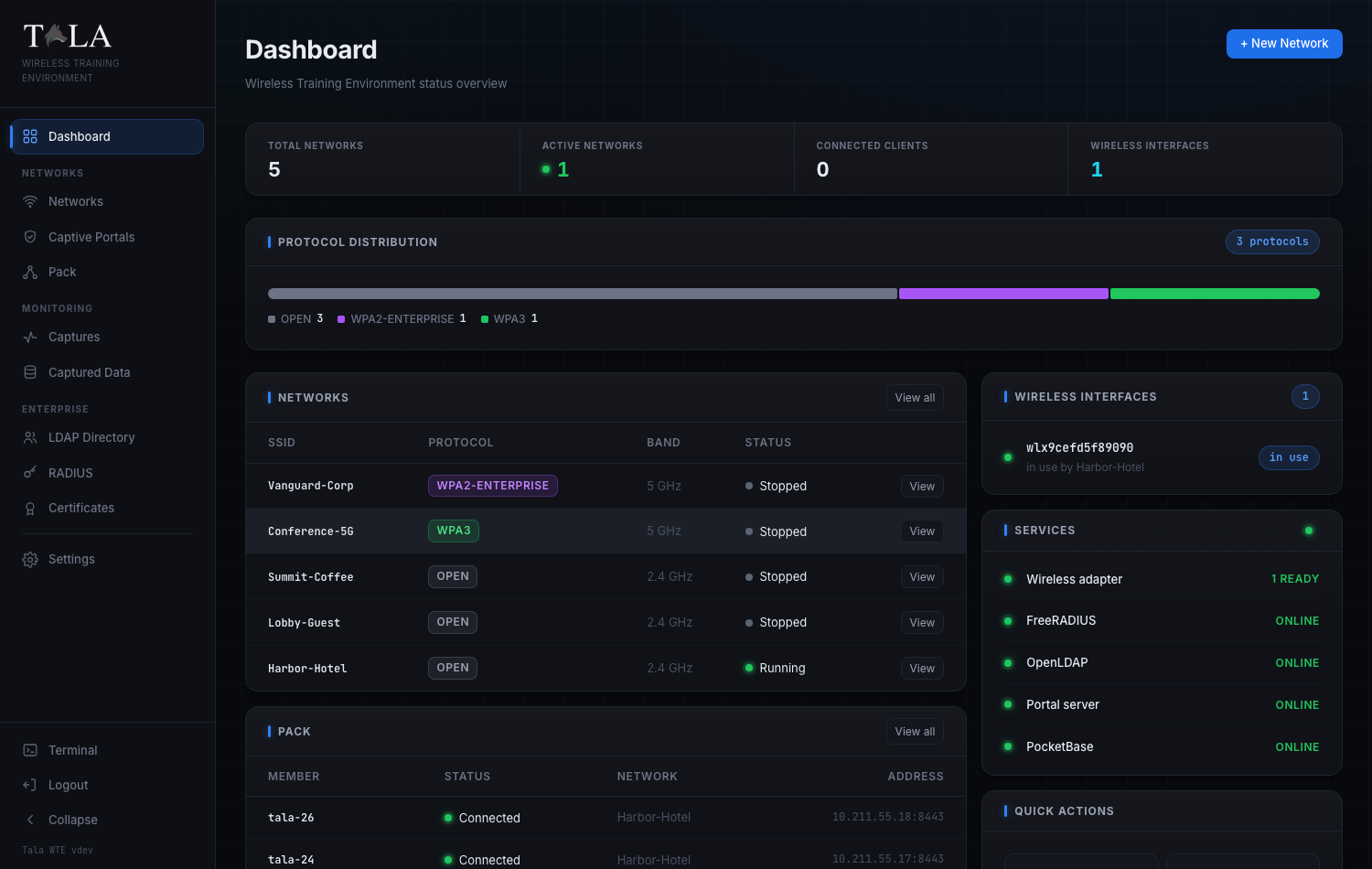 The console at a glance: target networks across Open, WPA2-Enterprise, and WPA3, the FreeRADIUS, OpenLDAP, and portal services running, and a pack of client machines connected to generate traffic.
Stand up the targets
One form builds a real hostapd access point. Pick from eleven security types: Open, OWE, WEP, WPA/TKIP, WPA2-Personal, WPA2 with 802.11r fast roaming, WPA2 with WPS, WPA3-Personal, WPA3-Transition, and WPA2 or WPA3-Enterprise. Choose a band and channel, and broadcast it.
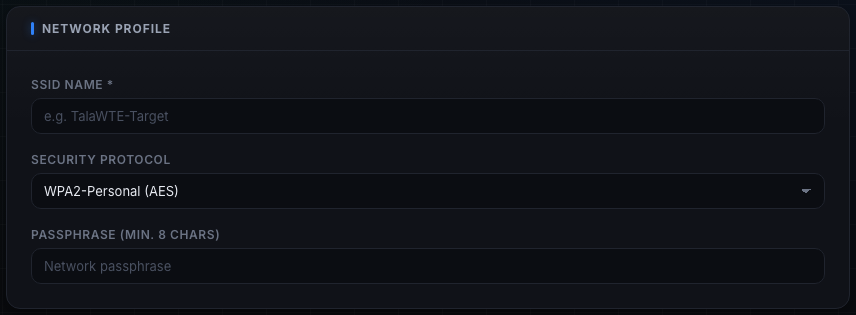 Every target is one form: a name, a protocol, a band, a channel. Each comes up as a real access point that a phone or laptop will join.
The useful part is the per-network toggles that re-create specific vulnerabilities on demand. “PMKID Exposed” makes a WPA2 network advertise the RSN PMKID so you can practice the clientless capture from 2018; off, it forces a full four-way handshake like a modern router. “Pixie-Dust Downgrade” makes a WPS access point leak predictable nonces so the PIN falls offline in seconds. Open networks can carry a captive portal that validates submissions against a directory. Client isolation, hidden SSID, and NAT passthrough are all switches.
Enterprise is where a home lab usually dies. Here it provisions itself. Choose WPA2 or WPA3-Enterprise and the certificate authority, the RADIUS server certificate, the directory users, and the FreeRADIUS-to-LDAP wiring all stand up on first boot, so an 802.1X network comes up without you touching a config file.
Make the air busy
A silent network teaches you nothing. The same binary runs as a client and generates realistic traffic: web browsing, DNS lookups, downloads, credential logins replayed in cleartext over HTTP Basic and form POST, and responder bait over LLMNR, NBT-NS, and mDNS. The credentials go out in the clear on purpose. Capturing and decrypting them is the whole point of the exercise.
For WPA cracking practice, the handshake-capture panel deauthenticates and reassociates a client on a schedule, so a capture on the access-point side records a fresh four-way handshake every cycle.
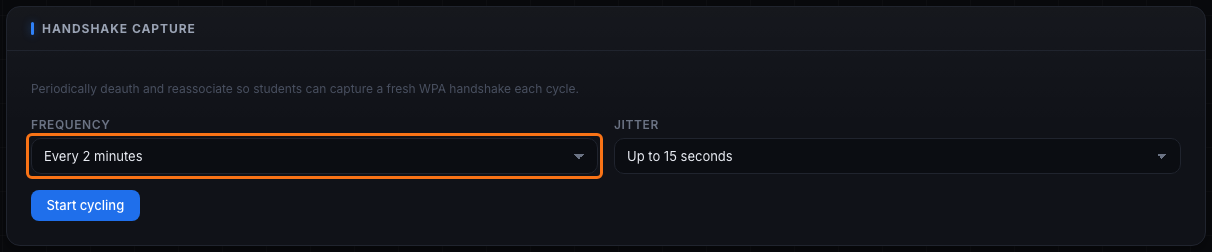 Reconnect cycling on a timer, so a monitor-mode capture harvests a fresh WPA handshake every couple of minutes instead of waiting for a client to reconnect on its own.
The Pack drives a fleet of client machines from one leader, so a range can look like a busy room instead of one lonely laptop.
The attack catalog
The field manual’s attack catalog is organized the way you should think about it: passive versus active (observe versus transmit), and by the layer an attack works against. Each entry maps to the real tool and, where it matters, the CVE.
- WPA and WPA2. Capture the four-way handshake and crack it offline with hashcat mode 22000. Force it with a deauth using aireplay-ng. Or grab the PMKID clientlessly with hcxdumptool when the access point exposes it.
- WPS. Online PIN brute force with reaver or bully, or the offline Pixie Dust shortcut with pixiewps when the access point is downgraded.
- WEP. FMS and PTW key recovery from captured IVs with aircrack-ng. Roughly twenty to eighty thousand IVs crack a 104-bit key in minutes, which is why WEP has been dead since 2001.
- Open networks. Rogue access point and evil twin with hostapd and a portal, ARP poisoning and DNS spoofing with bettercap, and captive-portal credential harvesting.
- Enterprise. Rogue RADIUS and enterprise evil twin with eaphammer or hostapd-wpe, PEAP-MSCHAPv2 offline cracking with hashcat mode 5500, and Blast-RADIUS (CVE-2024-3596). As the docs put it, the weakness is almost never the crypto and almost always the client: one that does not validate the RADIUS server certificate hands its inner credentials to whoever answers.
- WPA3. The Dragonblood class of side-channel and downgrade issues, and the transition-mode downgrade that drops a WPA3 client back to a crackable WPA2 handshake. KRACK and FragAttacks are covered as study material rather than live targets.
Every one of these runs against a network you stood up yourself, so nothing in the catalog touches anything you do not own.
Capture and analyze
Start a passive capture at the IP layer with tshark, or at the 802.11 layer in monitor mode, on any interface. There are one-click filter presets for HTTP, TLS, DNS, DHCP, ARP, and ICMP, or you can write your own, and you can download the pcap.
The built-in analyzer reads the capture in place. It reports the protocol mix (EAPOL frames are the evidence that a four-way handshake was recorded), the top talkers, the DNS and HTTP requests and TLS server names, and any cleartext credentials, in red. The payoff of capturing on a weak network is visible without leaving the console.
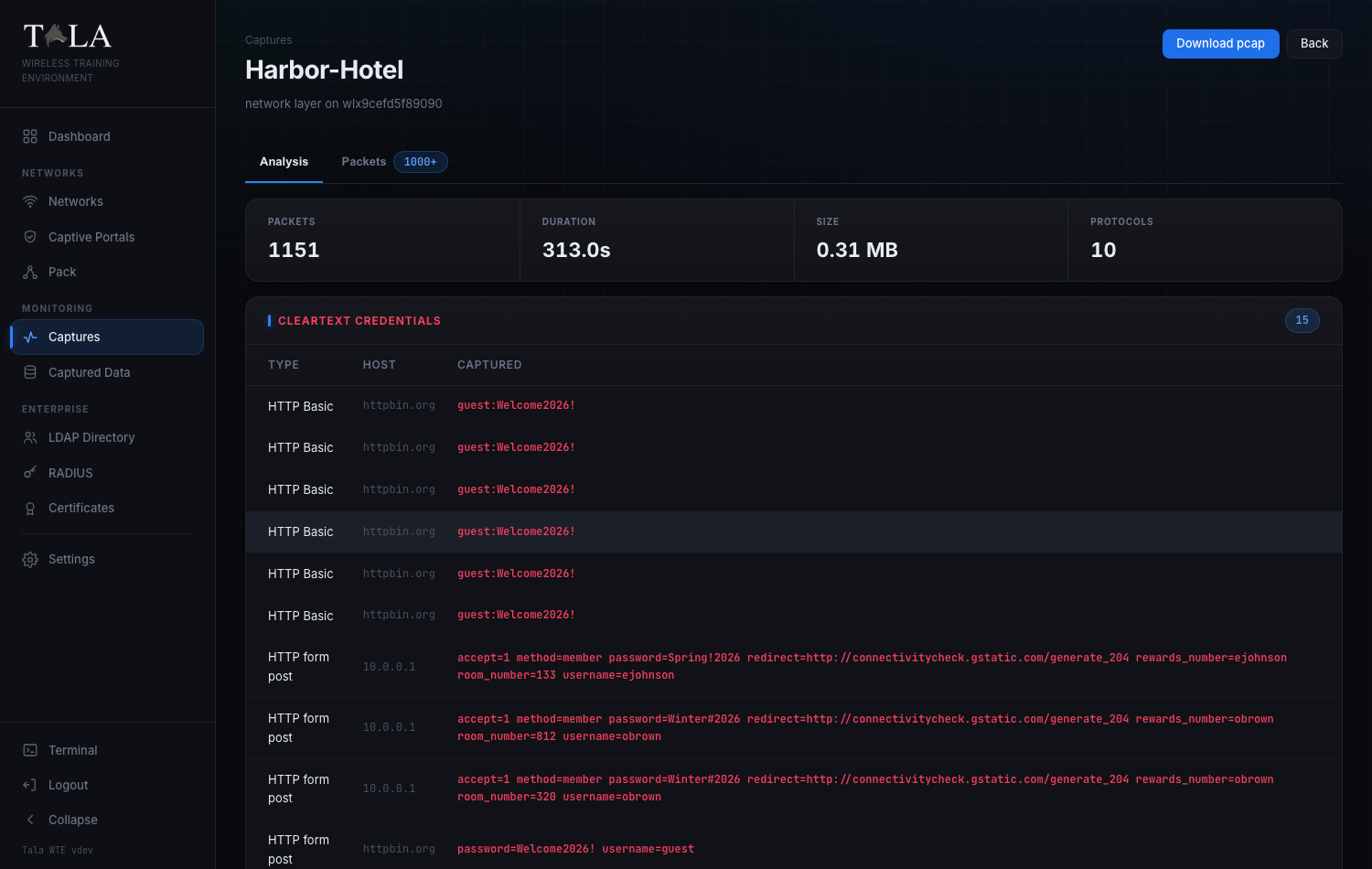 Fifteen cleartext credentials recovered from one capture on a target network. On a real engagement, that is the difference between a finding and a footnote.
Do it legally
This is worth repeating, because it is the whole point of a range. TALA-WTE is vulnerable by design. Run it in an isolated lab, never on a production or internet-facing network, and only transmit on the channels and regulatory domain you are authorized to use. Doing an attack once on hardware you control turns a headline into muscle memory, and it does it without touching anyone else’s network.
TALA-WTE is free for personal and non-profit use, and it is the range we sharpen our own people on. The professional platform, TALA, carries the same instincts into the field to detect, track, and locate real wireless activity, and it is included free for ARROW customers.
If you want to learn wireless instead of reading about it, download the binary and stand up your first network. The full field manual and attack catalog are at tala-wte.vtemlabs.com.